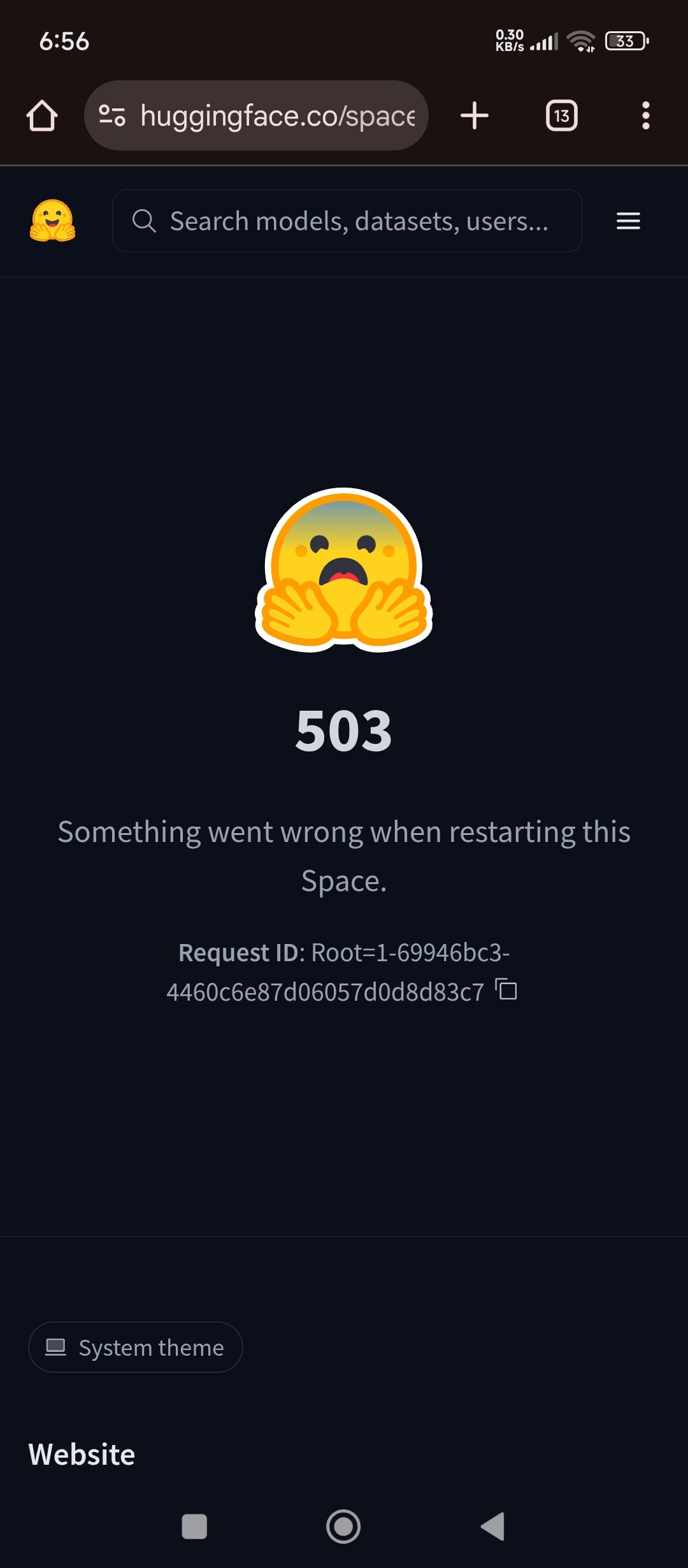
I created a space today created some (docker and main.py etc) added secret and when I click to restart it shows error. This is having from 4 hours. I have deployed same files on vps and it worked so I don’t think that this problem is from my side.
1 Like
Without seeing the actual code, it’s hard to say for sure, but it’s quite common for something to work in other environments but not in HF Spaces:
What that restart 503 means (background)
In Spaces, “503 — Something went wrong when restarting this Space” is a generic UI error. It usually means Hugging Face could not complete one of these phases:
- Build failed (dependency install / Docker build / image pull)
- Container/app started then crashed (exception, missing env var/secret, import error)
- Container/app stayed up but never became “healthy” (very common with Docker when port/host is wrong or the web server never starts listening) (Hugging Face Forums)
The on-screen Request ID: Root=... is an internal correlation ID that HF staff can use to trace the failure; it usually won’t tell you the cause by itself. (Hugging Face Forums)
Pinpointing the cause is about identifying which phase you’re in.
Step 1 — Rule out “it’s not you” in 30 seconds
If this started happening suddenly and persists for hours, check the Hugging Face status page for Spaces issues (proxy/build/scheduler incidents can surface as 5xx). If there’s an incident, your code may be fine.
Step 2 — Use logs to classify the failure (this is the key)
Open the Space page → Logs and check both:
- Build logs → failures during image build/install
- Runtime/Container logs → failures after the container starts
Then branch:
A) Build logs show an error → build-time issue
Common signatures:
pipdependency conflicts (“ResolutionImpossible”, “No matching distribution found”)- Dockerfile syntax issues (bad JSON array for
CMD, typos) - Missing files / wrong casing (Linux builders are case-sensitive)
B) Build succeeds but runtime shows a crash loop → runtime issue
Common signatures:
- Python traceback at import/startup
- missing secret/env var
- wrong entrypoint command
C) Build succeeds and runtime doesn’t crash, but Space never becomes reachable → “not healthy”
This is the most common “works on VPS, fails on Spaces” pattern, especially with Docker. (Hugging Face Forums)
Step 3 — If you’re using Docker, check the 3-way port alignment (most common root cause)
On a VPS, a reverse proxy (nginx/traefik) or different port mapping often masks mistakes. In Docker Spaces, HF’s proxy expects your app to be reachable inside the container on the configured port (commonly 7860) and bound to 0.0.0.0. (Hugging Face Forums)
The “must match” triangle
1) README.md YAML
---
sdk: docker
app_port: 7860
---
HF docs and community triage repeatedly point to app_port mismatch as a reason a Space stays unhealthy. (Hugging Face Forums)
2) Dockerfile
EXPOSE 7860
CMD ["python", "-u", "main.py"]
3) Your server actually listens on 0.0.0.0:7860
Examples:
Uvicorn/FastAPI
uvicorn main:app --host 0.0.0.0 --port 7860
Gradio
demo.launch(server_name="0.0.0.0", server_port=7860)
This exact host/port fix is the standard resolution for “Starting/Restart 503” when everything else looks fine. (Hugging Face Forums)
Prefer using the PORT env var (safe pattern)
Many Spaces examples use:
--port ${PORT:-7860}(shell)os.environ.get("PORT", 7860)(Python)
because the platform may provide PORT, while still defaulting cleanly to 7860. (Hugging Face Forums)
Step 4 — Health/timeout problems: “it starts too slowly”
HF infra expects the service to bind to the exposed port within the startup timeout (default commonly referenced as 30 minutes). (Hugging Face Forums)
If your app does big downloads/model loads before starting the web server:
How to pinpoint
- Runtime logs show long work (downloads, loading model weights) but no “server listening on …”
- Or the Space flips unhealthy after waiting
Fix options
- Start the server quickly; lazy-load models on first request.
- If you truly need more time, set:
startup_duration_timeout: 1h
in README.md YAML. (Hugging Face)
Step 5 — Secrets/env vars: common “works locally, fails on Spaces” trap
Runtime secrets
For Docker Spaces, secrets/variables are managed in Space settings and are exposed to the app as environment variables. (Hugging Face)
Pinpointing tip
- If runtime logs show
KeyError: ...or auth failures right at startup, it’s often a missing/misspelled secret.
Make the error obvious
Instead of crashing deep later, validate early and log a clear message (e.g., “Missing API_KEY”).
Build-time variables (important nuance)
If your Dockerfile expects secrets during RUN ... steps, that can fail because build-time values are handled differently. Community guidance for Docker Spaces is to pass needed values as build args (ARG) when building. (Hugging Face Forums)
Step 6 — Add a simple health check (optional, but helps pinpoint)
A Docker HEALTHCHECK can make “it’s running but not serving” obvious. A common pattern is curling the local port and failing if it doesn’t respond. (Hugging Face)
Example:
RUN apt-get update && apt-get install -y curl
HEALTHCHECK CMD curl --fail http://localhost:7860/ || exit 1
Step 7 — If logs are empty or the Space UI is “stuck”
If you see symptoms like:
- restart always 503,
- build never produces real logs,
- hardware/settings UI spins or rebuilds don’t trigger,
then it may be a backend/scheduler state rather than your code. One practical way to pinpoint is:
-
Duplicate the Space with the same repo/commit.
- If the duplicate works immediately, it suggests the original Space was wedged.
-
Factory rebuild / factory reboot (forces a clean rebuild).
This pattern appears in multiple community reports. (Hugging Face Forums)
Minimal “pinpoint checklist” you can follow in order
-
Logs → Build
- First error line + the command that failed
-
Logs → Runtime
- Do you see “server listening on …”? If not, why?
-
If Docker: confirm
README: sdk: dockerandapp_port- Dockerfile
EXPOSE - app binds to
0.0.0.0and correct port (Hugging Face Forums)
-
If slow startup
- set
startup_duration_timeoutor lazy-load (Hugging Face)
- set
-
If secrets involved
- confirm exact names; validate early; avoid build-time secret usage (Hugging Face)
-
If still opaque
- duplicate Space / factory rebuild
My code doesn’t have any error. I have deployed it on my computer and checked it and I have changed the port from 8000 to 7860 while uploading my files to hugging face. Here’s logs ==== Build Queued at 2026-02-17 13:43:05 / Commit SHA: 169fe40 =====
- → FROM Docker Hub Container Image Library | App Containerization
Just these.