

Improving Video Generation with Human Feedback
Paper
• 2501.13918 • Published
• 53
This is a specialized LoRA adapter for Tongyi-MAI/Z-Image-Turbo, finetuned using Flow-DPO (Direct Preference Optimization for Flow Matching) to significantly enhance photorealistic lighting, cinematic shadows, and overall image quality.
By utilizing Flow-DPO on perfectly spatially-aligned image pairs, this LoRA fixes the common "flat," "washed-out," or "plastic" artifacts often found in ultra-fast distilled models, delivering stunning, physically accurate lighting in just 8 inference steps.
 | Prompt: woman, Asian ethnicity, white dress, looking away, long hair, outdoor setting, building facade, plants, serene expression, elegance, side profile, standing, daylight, soft focus, pastel colors, fashion, youthful, casual elegance, architectural elements, natural light, tassel detail on dress |
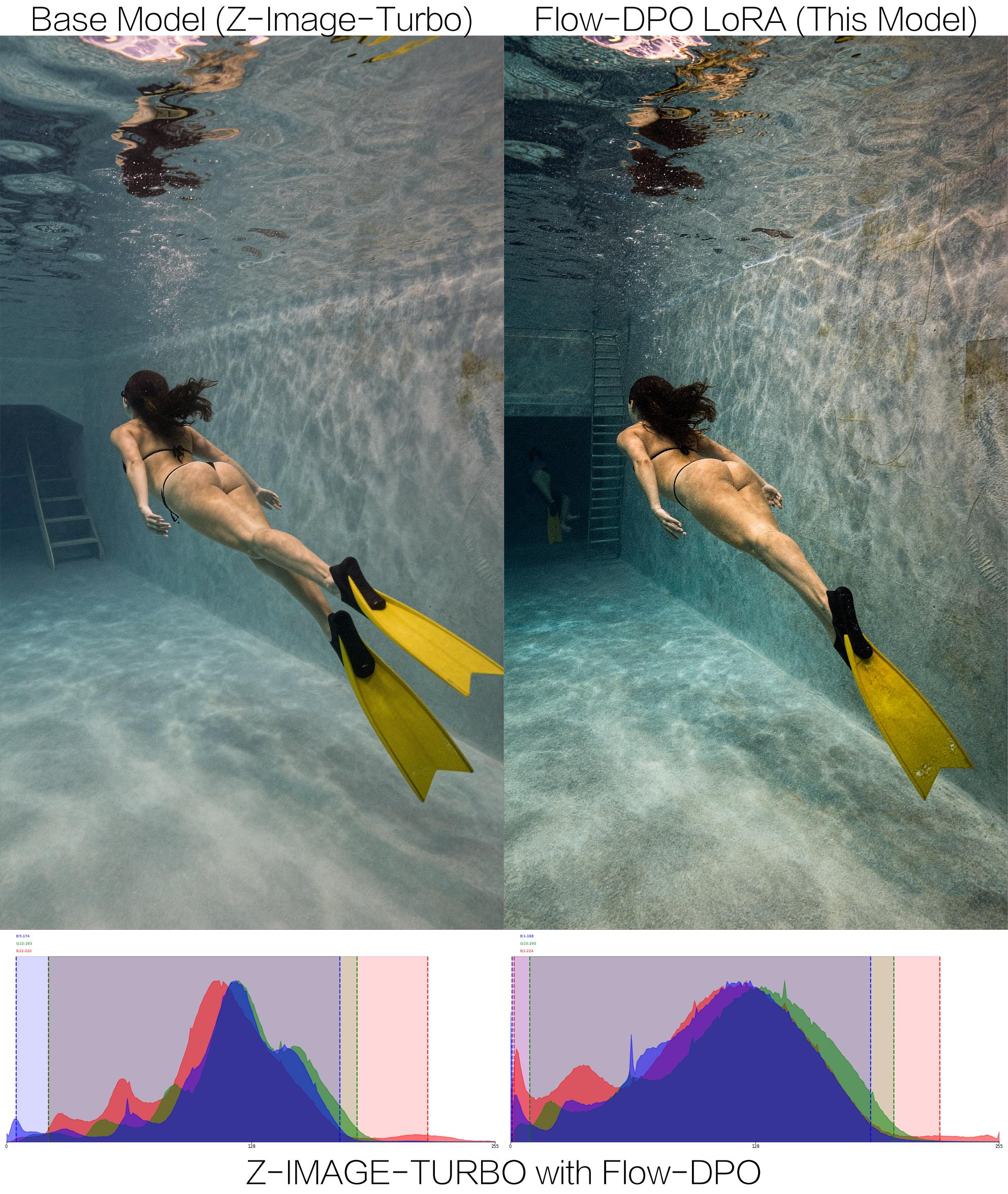
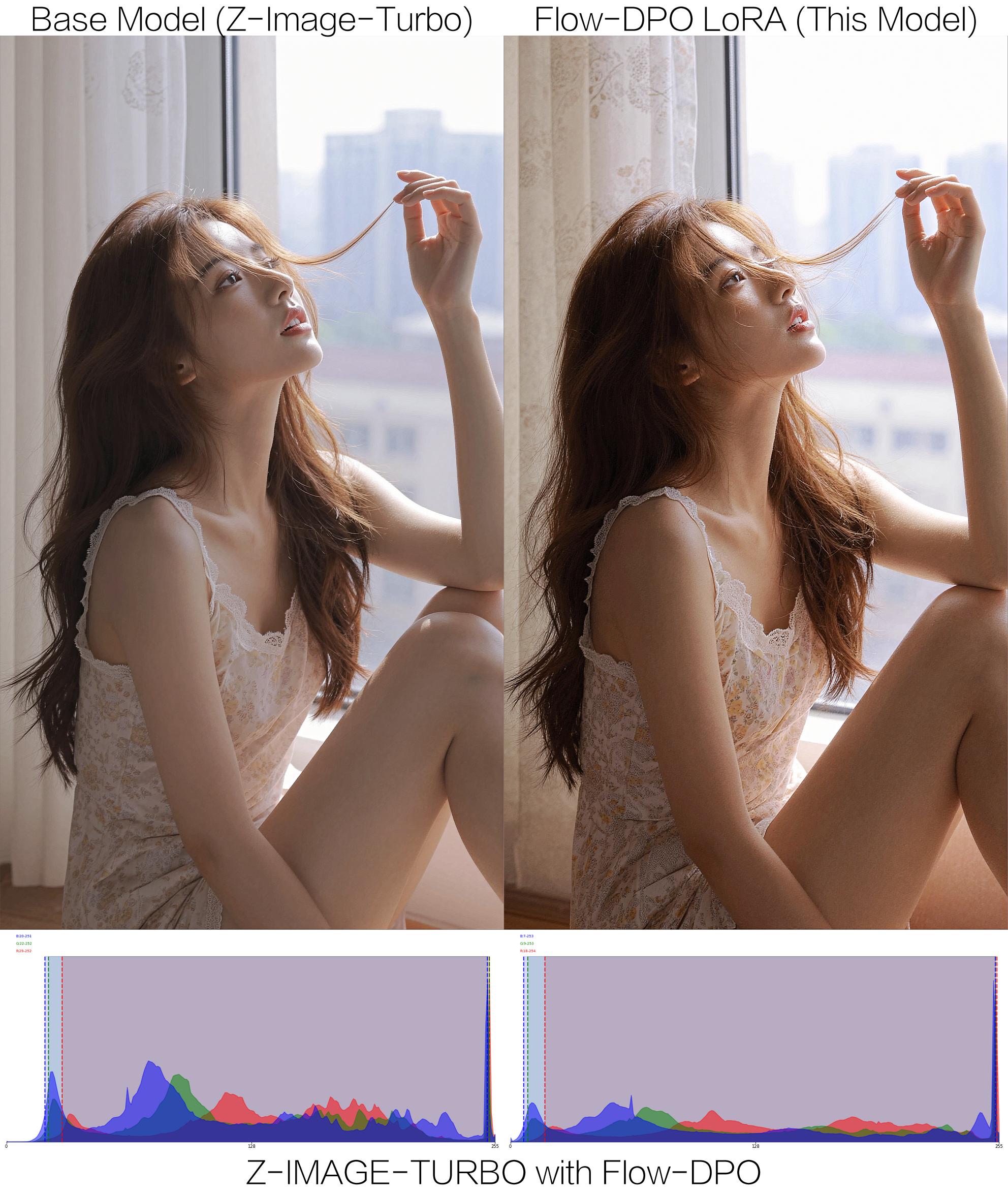

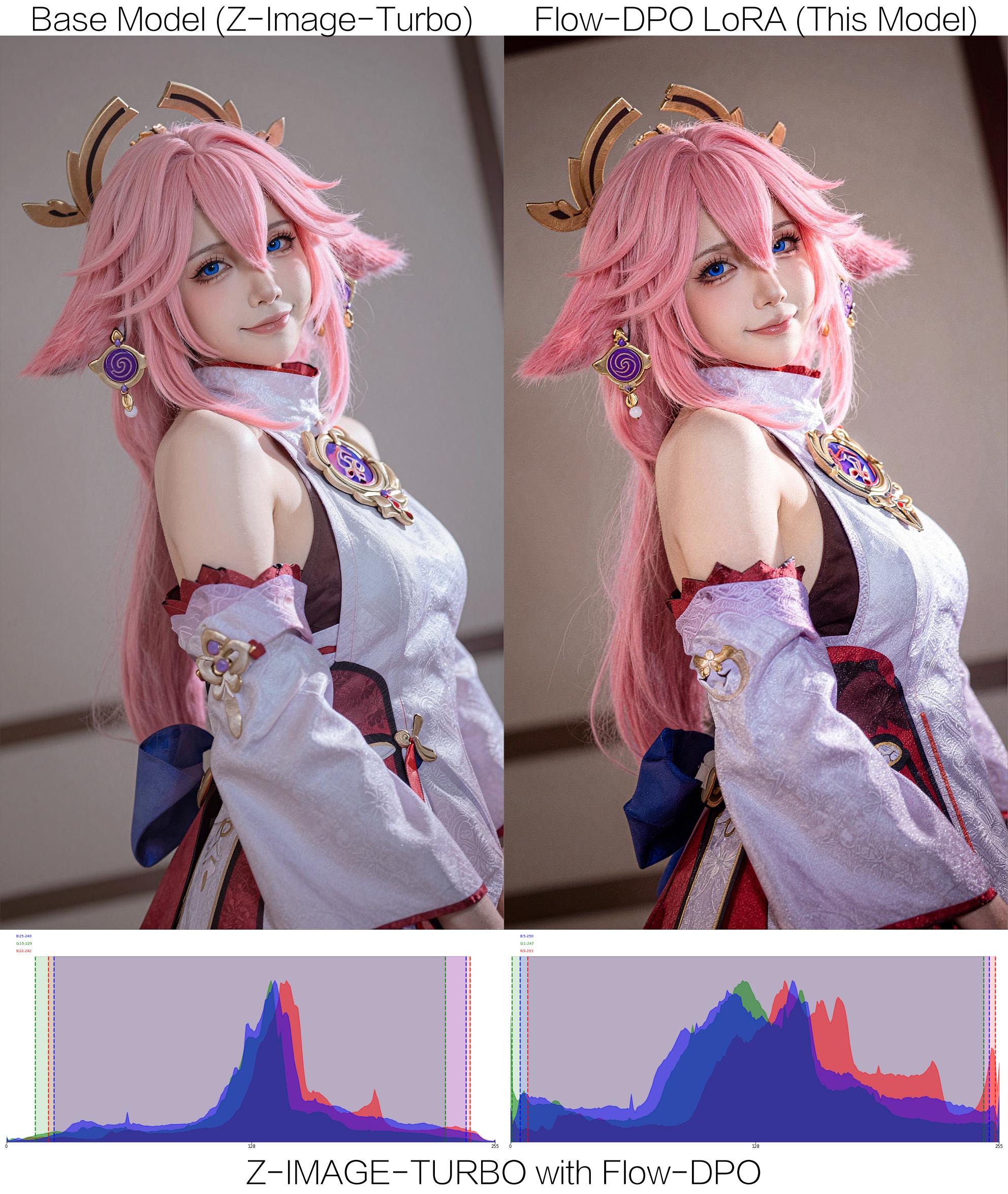


This model is a standard LoRA adapter and can be used directly with the diffusers library.
pip install diffusers transformers accelerate peft
Since Z-Image-Turbo is a distilled model, it requires exactly 8 inference steps and a fixed guidance scale.
import torch
from diffusers import DiffusionPipeline

# 1. Load the base Z-Image-Turbo model
base_model_id = "Tongyi-MAI/Z-Image-Turbo"
pipeline = DiffusionPipeline.from_pretrained(
    base_model_id,
    torch_dtype=torch.bfloat16,
    trust_remote_code=True
).to("cuda")

# 2. Load this Flow-DPO LoRA
lora_id = "F16/z-image-turbo-flow-dpo"
pipeline.load_lora_weights(lora_id, adapter_name="lighting_dpo")
# Optional: Adjust LoRA scale (0.6 - 1.0 usually works best)
pipeline.set_adapters(["lighting_dpo"], adapter_weights=[1.0])

# 3. Generate Image
prompt = "A professional realistic photograph of a woman standing by a window, golden hour lighting, cinematic shadows, highly detailed, 8k resolution."

image = pipeline(
    prompt=prompt,
    num_inference_steps=8,  # Turbo model must use 8 steps
    guidance_scale=1.0,     # Turbo model does not use CFG
    generator=torch.Generator("cuda").manual_seed(42)
).images[0]

image.save("dpo_lighting_output.jpg")
This model was trained using a custom implementation of Flow-DPO (Improving Video Generation with Human Feedback, arXiv:2501.13918).
To prevent the model from hallucinating or altering image structures (Catastrophic Forgetting), the preference dataset was constructed using strict spatial alignment:
Unlike standard diffusion models where $t$ is sampled continuously $t \in [0, 1]$, Z-Image-Turbo is a distilled model specifically optimized for 8 fixed timesteps.
During the Flow-DPO training, we dynamically extracted the exact discrete $t$-distribution from the FlowMatchEulerDiscreteScheduler and restricted the random sampling to these exact 8 nodes. This ensures the LoRA retains the turbo model's extreme speed without causing output blurriness.
1e-41.01bfloat160.6 - 1.0 for the most photorealistic results.If you find this model or training methodology useful, please consider referencing:
@article{liu2025improving,
  title={Improving video generation with human feedback},
  author={Liu, Jie and Liu, Gongye and Liang, Jiajun and Yuan, Ziyang and Liu, Xiaokun and Zheng, Mingwu and Wu, Xiele and Wang, Qiulin and Qin, Wenyu and Xia, Menghan and others},
  journal={arXiv preprint arXiv:2501.13918},
  year={2025}
}


---