
Diffusers documentation
Пакетный вывод
Пакетный вывод
Пакетный вывод обрабатывает несколько запросов одновременно, чтобы повысить пропускную способность. Пакетная обработка поддерживает высокую загрузку GPU, тогда как одиночный запрос оставляет его недоиспользованным.
Недостатком является более высокая задержка, так как вы ждете завершения обработки всей партии. Большие партии также требуют больше памяти GPU.
Обработка нескольких запросов
Передайте в pipeline список промптов, чтобы сгенерировать по одному изображению для каждого промпта.
import torch
import matplotlib.pyplot as plt
from diffusers import DiffusionPipeline

pipeline = DiffusionPipeline.from_pretrained(
    "stabilityai/stable-diffusion-xl-base-1.0",
    dtype=torch.float16,
    device_map="cuda"  # or "mps", "xpu", "cpu"
)

prompts = [
    "Cinematic shot of a cozy coffee shop interior, warm pastel light streaming through a window where a cat rests. Shallow depth of field, glowing cups in soft focus, dreamy lofi-inspired mood, nostalgic tones, framed like a quiet film scene.",
    "Polaroid-style photograph of a cozy coffee shop interior, bathed in warm pastel light. A cat sits on the windowsill near steaming mugs. Soft, slightly faded tones and dreamy blur evoke nostalgia, a lofi mood, and the intimate, imperfect charm of instant film.",
    "Soft watercolor illustration of a cozy coffee shop interior, pastel washes of color filling the space. A cat rests peacefully on the windowsill as warm light glows through. Gentle brushstrokes create a dreamy, lofi-inspired atmosphere with whimsical textures and nostalgic calm.",
    "Isometric pixel-art illustration of a cozy coffee shop interior in detailed 8-bit style. Warm pastel light fills the space as a cat rests on the windowsill. Blocky furniture and tiny mugs add charm, low-res retro graphics enhance the nostalgic, lofi-inspired game aesthetic."
]

images = pipeline(
    prompt=prompts,
).images

fig, axes = plt.subplots(2, 2, figsize=(12, 12))
axes = axes.flatten()

for i, image in enumerate(images):
    axes[i].imshow(image)
    axes[i].set_title(f"Image {i+1}")
    axes[i].axis('off')

plt.tight_layout()
plt.show()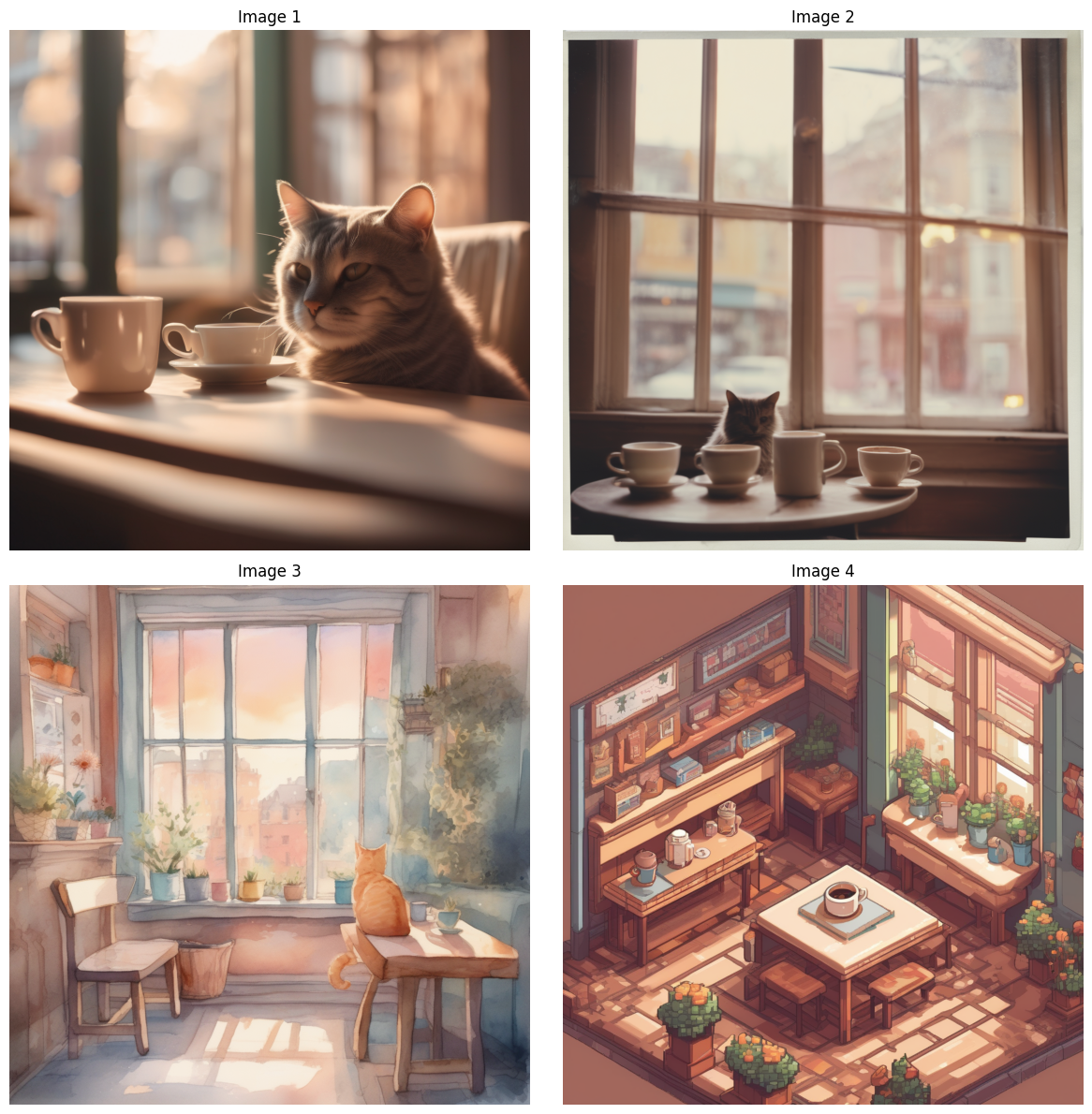
Генерация нескольких изображений на один запрос
Чтобы сгенерировать несколько вариантов одного промпта, используйте аргумент num_images_per_prompt.
import torch
import matplotlib.pyplot as plt
from diffusers import DiffusionPipeline

pipeline = DiffusionPipeline.from_pretrained(
    "stabilityai/stable-diffusion-xl-base-1.0",
    dtype=torch.float16,
    device_map="cuda"  # or "mps", "xpu", "cpu"
)

prompt="""
Isometric pixel-art illustration of a cozy coffee shop interior in detailed 8-bit style. Warm pastel light fills the
space as a cat rests on the windowsill. Blocky furniture and tiny mugs add charm, low-res retro graphics enhance the
nostalgic, lofi-inspired game aesthetic.
"""

images = pipeline(
    prompt=prompt,
    num_images_per_prompt=4
).images

fig, axes = plt.subplots(2, 2, figsize=(12, 12))
axes = axes.flatten()

for i, image in enumerate(images):
    axes[i].imshow(image)
    axes[i].set_title(f"Image {i+1}")
    axes[i].axis('off')

plt.tight_layout()
plt.show()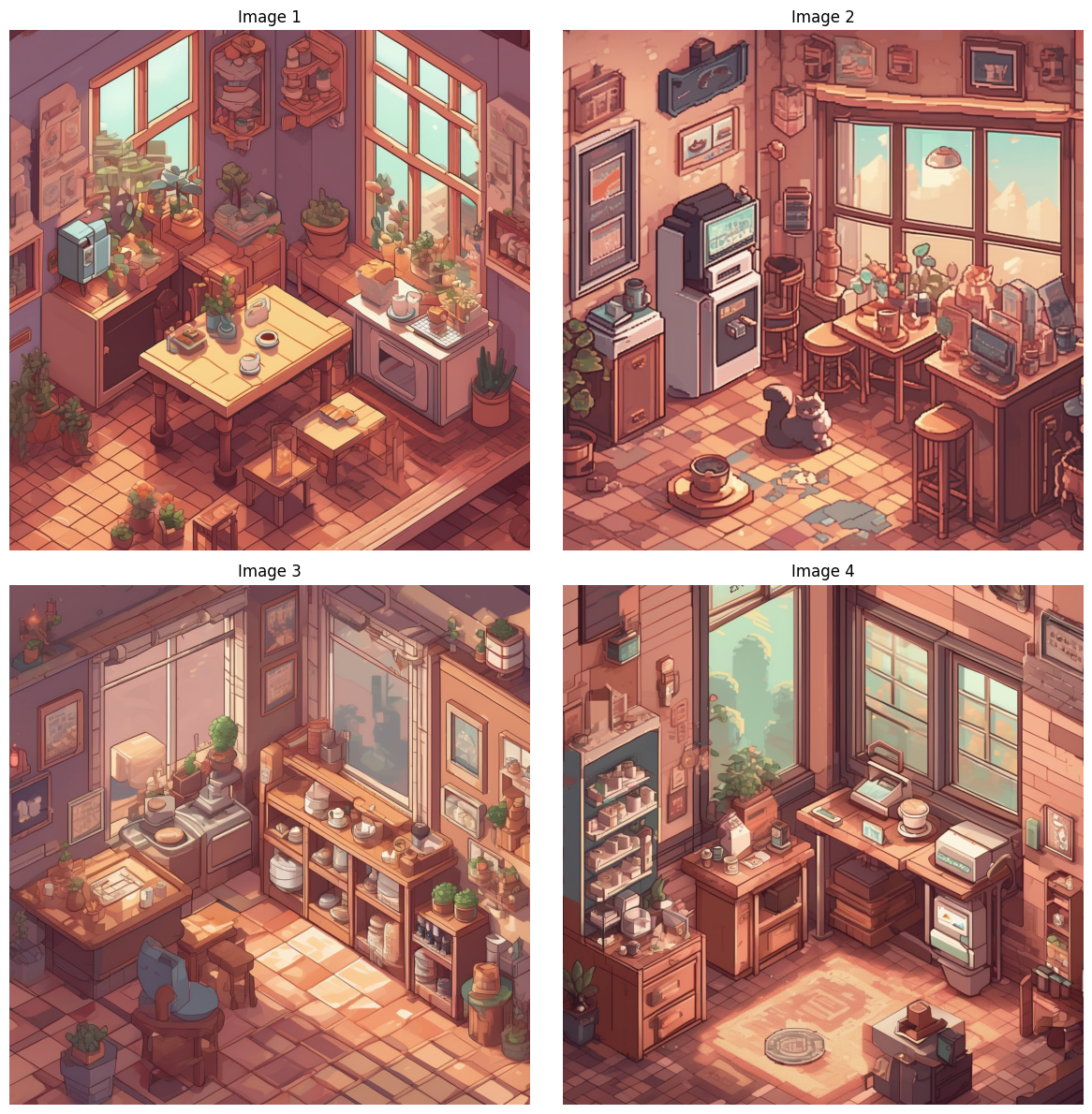
Сгенерировать несколько изображений для нескольких запросов
Сочетайте оба подхода, чтобы генерировать различные варианты разных промптов. В этом примере повторно используются pipeline и prompts из примеров выше.
images = pipeline(
    prompt=prompts,
    num_images_per_prompt=2,
).images

fig, axes = plt.subplots(2, 4, figsize=(12, 12))
axes = axes.flatten()

for i, image in enumerate(images):
    axes[i].imshow(image)
    axes[i].set_title(f"Image {i+1}")
    axes[i].axis('off')

plt.tight_layout()
plt.show()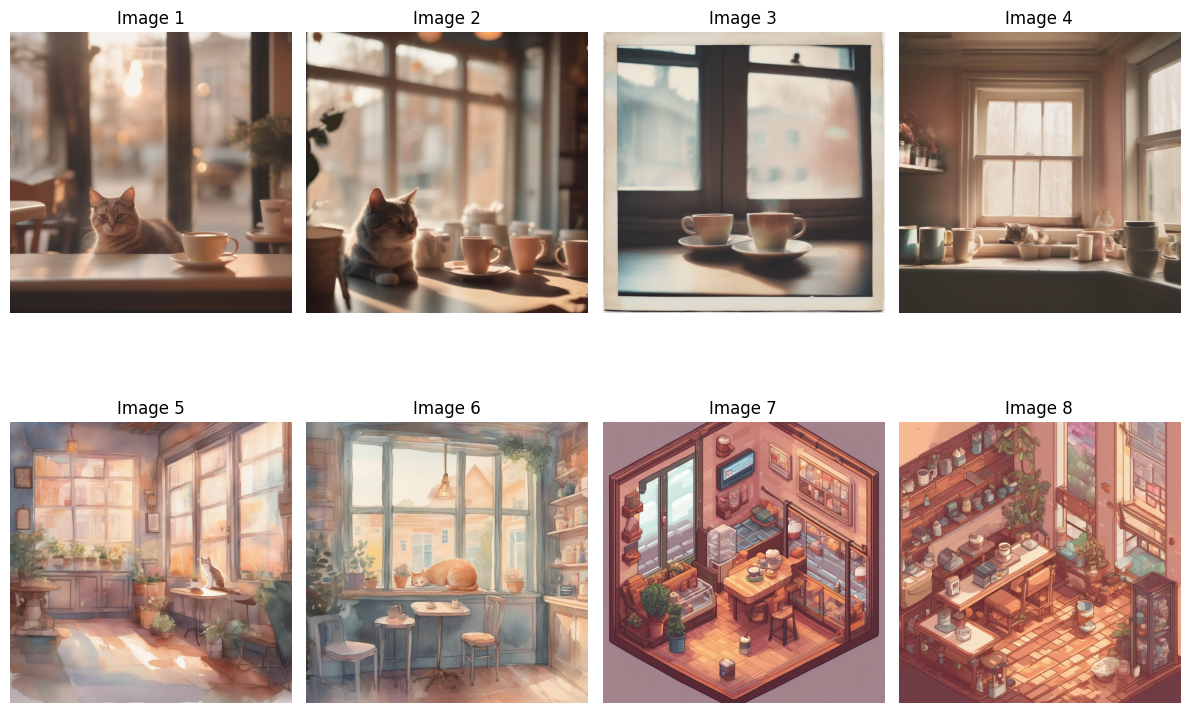
Генерация воспроизводимых пакетов
Чтобы сделать батч воспроизводимым, передайте в пайплайн список объектов Generator, по одному на каждое изображение, каждый со своим собственным seed.
См. документацию Воспроизводимость, чтобы узнать больше о детерминированных алгоритмах и объекте
Generator.
Создайте по одному Generator на изображение с помощью list comprehension. Умножение списка ([generator] * 3) даёт три ссылки на один и тот же Generator, поэтому изображения не получают независимые seed.
# don't do this
generator = [torch.Generator(device="cuda").manual_seed(0)] * 3  # or "mps", "xpu", "cpu"
Количество генераторов должно совпадать с количеством изображений в батче. Передайте generator в пайплайн.
import torch
import matplotlib.pyplot as plt
from diffusers import DiffusionPipeline

pipeline = DiffusionPipeline.from_pretrained(
    "stabilityai/stable-diffusion-xl-base-1.0",
    dtype=torch.float16,
    device_map="cuda"
)

prompts = [
    "Cinematic shot of a cozy coffee shop interior, warm pastel light streaming through a window where a cat rests. Shallow depth of field, glowing cups in soft focus, dreamy lofi-inspired mood, nostalgic tones, framed like a quiet film scene.",
    "Polaroid-style photograph of a cozy coffee shop interior, bathed in warm pastel light. A cat sits on the windowsill near steaming mugs. Soft, slightly faded tones and dreamy blur evoke nostalgia, a lofi mood, and the intimate, imperfect charm of instant film.",
    "Soft watercolor illustration of a cozy coffee shop interior, pastel washes of color filling the space. A cat rests peacefully on the windowsill as warm light glows through. Gentle brushstrokes create a dreamy, lofi-inspired atmosphere with whimsical textures and nostalgic calm.",
    "Isometric pixel-art illustration of a cozy coffee shop interior in detailed 8-bit style. Warm pastel light fills the space as a cat rests on the windowsill. Blocky furniture and tiny mugs add charm, low-res retro graphics enhance the nostalgic, lofi-inspired game aesthetic."
]
generator = [torch.Generator(device="cuda").manual_seed(i) for i in range(len(prompts))]  # or "mps", "xpu", "cpu"

images = pipeline(
    prompt=prompts,
    generator=generator
).images

fig, axes = plt.subplots(2, 2, figsize=(12, 12))
axes = axes.flatten()

for i, image in enumerate(images):
    axes[i].imshow(image)
    axes[i].set_title(f"Image {i+1}")
    axes[i].axis('off')

plt.tight_layout()
plt.show()
Каждое изображение связано с определённым seed, поэтому вы можете выбрать понравившийся результат и сгенерировать его заново с тем же seed, пока дорабатываете промпт.
Обработка одновременных запросов
Сервер также повышает пропускную способность, обрабатывая запросы от множества пользователей одновременно. Загрузите конвейер один раз и используйте его для всех запросов, чтобы модели оставались в памяти GPU только один раз. Планировщики не являются потокобезопасными, поэтому для каждого запроса создавайте собственный планировщик с помощью from_pipe(). Использование одного планировщика в нескольких потоках приводит к ошибкам, например IndexError: index 21 is out of bounds for dimension 0 with size 21.
scheduler = shared_pipeline.scheduler.from_config(shared_pipeline.scheduler.config)
pipeline = StableDiffusion3Pipeline.from_pipe(shared_pipeline, scheduler=scheduler)
Для полных серверов, построенных на FastAPI, см. пример server и пример server-async. Пример server-async также клонирует состояние генератора случайных чисел для каждого запроса и делает токенизаторы безопасными для использования в разных потоках.
Дальнейшие шаги
- Если батч не помещается на одном GPU или количество промптов превышает возможности одного GPU, распределите промпты по нескольким GPU с помощью Data parallelism.