Transformers documentation
Cursor
You are viewing main version, which requires installation from source. If you'd like
regular pip install, checkout the latest stable version (v5.22.2).
Cursor
Cursor는 Sonnet, Gemini, GPT와 같은 모델을 제공하는 AI 기반 코드 에디터입니다. 로컬 모델을 서빙하려면 CORS를 활성화해야 합니다(보안을 위해 기본적으로 비활성화되어 있음).
transformers serve --enable-cors
Cursor는 로컬 서버에 접근하기 위해 공개된 주소를 필요로 합니다. ngrok을 사용하여 터널을 생성하세요. 가입하고 인증한 후 다음 명령을 실행하세요.
ngrok http localhost:8000

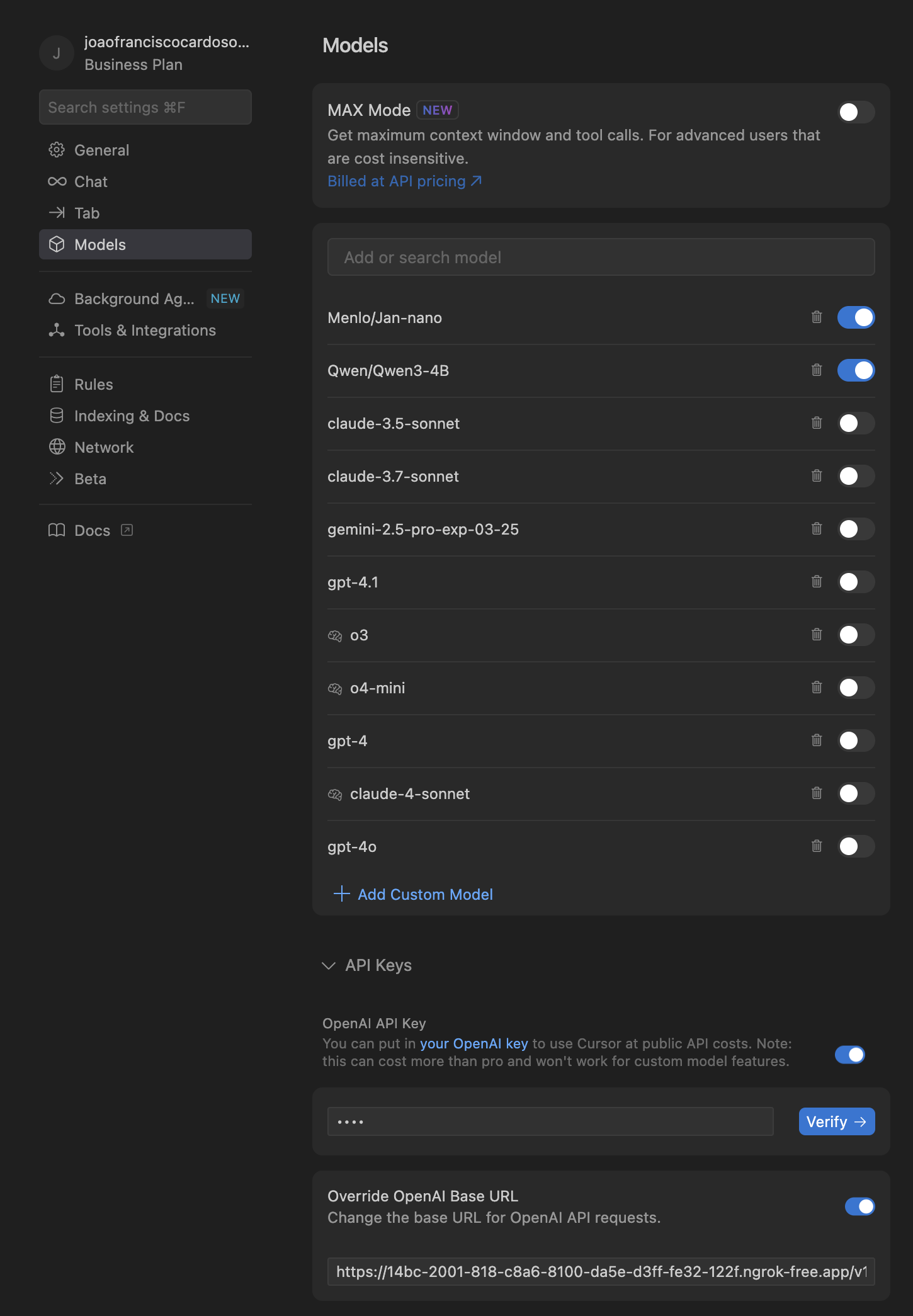
Cursor를 열고 Settings > Cursor Settings > Models > API Keys로 이동하세요.
- 목록의 모든 모델을 선택 해제합니다.
- 원하는 모델(Qwen/Qwen3-4B)을 추가하세요.
- OpenAI API Key 필드에 아무 텍스트나 입력하세요(필수).
- ngrok Forwarding 주소를 Override OpenAI Base URL에 붙여넣습니다. URL 끝에
/v1을 추가합니다(https://…ngrok-free.app/v1). - 확인을 클릭하세요.
모델을 사용할 준비가 되었습니다.